Many a times you queue many mp3 songs in your media player playlist but still you have to reach out for its volume button because one song is loud while other is too quiet.It is really quite annoying indeed.But now here is a good solution for this thing with following free utilities:
1. Vloud
If you ever need to quickly amplify the sound level of one of your MP3 songs and don’t want to deal with complex amplifier tools, check out Vloud. It is simple online utility to make MP3’s louder.

Features:
- Amplify MP3s online.
- Available volume presets: light, loud, louder and loudest.
- Currently supports .mp3 and .wav files.
- Maximum allowed file size: 10MB.
- Simple and easy to use.
Check out Vloud @ www.vloud.com
2. MP3Gain
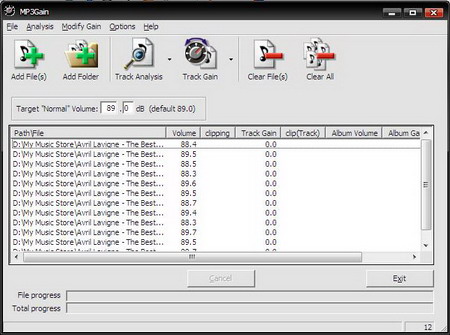
MP3Gain is a simple application that serves one main purpose - to analyze and automatically adjust your MP3 files so that they play at the same volume. The changes MP3Gain makes are completely lossless, it adjusts the MP3 files without decoding or re-coding, so the quality remains the same as before the adjustment. You can change the volume as many times as you want, and the mp3 will sound just as good (or just as bad!) as it did before you started.
Read more...


 Posts
Posts


